
Self-Hosting a WireGuard VPN: wg-easy as Your Own Exit Node
August 11, 2026
This post was translated into English by AI. Read the original →
In short: WireGuard via wg-easy on a Netcup VPS. Web traffic then leaves the network with the server's IP instead of your own. UDP port bound directly on the host, management interface through Traefik — and a NAT bug that makes the tunnel look like it works while nothing gets through.
The shortest article in this series. The setup is done in an evening; exactly one spot is interesting, and it cost me two hours.
1. What This Is — and What It Isn't
The purpose is a personal exit node: my phone or laptop opens a tunnel to my own server, and all web traffic leaves for the internet with the server's IP. On untrusted Wi-Fi — café, airport, hotel — nobody on the same network can read along any more, and websites see an IP belonging to my server rather than my connection.
What it explicitly is not: remote access to a private home network. That's the other common WireGuard use case, and it requires a different configuration — more on that below.
What it also isn't: anonymity. The server is mine, it's registered in my name, and my host knows who I am. A self-hosted VPN moves trust from the Wi-Fi operator and the ISP to your own server — it doesn't dissolve it. If you're after anonymity from authorities, this is the wrong tool.
2. Why WireGuard, and Why wg-easy
WireGuard instead of OpenVPN: minimal attack surface — a single UDP port, no complex daemon underneath. Also considerably faster, and every platform has a native or official client. The codebase is orders of magnitude smaller than OpenVPN's, which for security-critical software is an argument in itself.
wg-easy instead of plain WireGuard: plain WireGuard means editing wg0.conf by hand — generate a key pair per device, add it, transfer the configuration to the device. That's fine for one device. With five over two years it becomes a source of errors.
wg-easy manages server keys, client configurations and QR codes through a web interface. A new device means: create a client, scan the QR code, done. The client itself remains the official WireGuard app — wg-easy is only the management layer, not a client of its own.
3. Why the VPN Port Doesn't Go Through the Reverse Proxy
On this server everything runs behind Traefik. For the mail server that took some effort — TCP passthrough, PROXY protocol, so the service sees the real client IP.
For WireGuard none of that is necessary, and that isn't a special case — it follows from the protocol.
WireGuard performs its own encrypted handshake at the UDP level. It needs no TLS termination because it doesn't use TLS at all. And it needs no PROXY protocol because it sees the real sender address natively anyway — UDP isn't routed through an HTTP reverse proxy in the classic sense.
Hence the split:
- Port
51820/udpis published directly on the host, bypassing Traefik entirely. - The web interface (port 51821) runs as an ordinary HTTP upstream through Traefik — with TLS from Let's Encrypt, like every other service. No host port for it.
One service, two completely different paths outward. That's the one architectural decision you should understand before reading the Compose file.
4. The Compose File
services:
  wg-easy:
    image: ghcr.io/wg-easy/wg-easy:15
    container_name: vpn_wg_easy
    restart: unless-stopped
    volumes:
      - ./config:/etc/wireguard
      - /lib/modules:/lib/modules:ro
    ports:
      # Only the WireGuard UDP port. The web UI runs through Traefik.
      - "51820:51820/udp"
    networks:
      wg:
        interface_name: eth0
        gw_priority: 1
        ipv4_address: 10.42.42.42
        ipv6_address: fdcc:ad94:bacf:61a3::2a
      traefik-net:
        interface_name: eth1
        gw_priority: 0
        ipv4_address: 172.20.0.8
    cap_add:
      - NET_ADMIN
      - SYS_MODULE
    sysctls:
      - net.ipv4.ip_forward=1
      - net.ipv4.conf.all.src_valid_mark=1
      - net.ipv6.conf.all.disable_ipv6=0
      - net.ipv6.conf.all.forwarding=1
      - net.ipv6.conf.default.forwarding=1
    labels:
      - "traefik.enable=true"
      - "traefik.http.routers.vpn.rule=Host(`vpn.tariwiencke.de`)"
      - "traefik.http.routers.vpn.entrypoints=websecure"
      - "traefik.http.routers.vpn.tls=true"
      - "traefik.http.routers.vpn.tls.certresolver=myresolver"
      - "traefik.http.services.vpn.loadbalancer.server.port=51821"
      - "traefik.docker.network=traefik-net"

networks:
  traefik-net:
    external: true
  wg:
    driver: bridge
    enable_ipv6: true
    ipam:
      driver: default
      config:
        - subnet: 10.42.42.0/24
        - subnet: fdcc:ad94:bacf:61a3::/64
The container needs NET_ADMIN and SYS_MODULE to create the WireGuard interface and set iptables rules. The sysctls enable IP forwarding — without them the container forwards nothing at all.
The interface_name and gw_priority lines are the fix from chapter 8. If you're setting this up fresh, include them from the start.
Deployment:
cd /opt/vpn
docker compose up -d
No .env needed — version 15 has no mandatory environment variables any more. ./config is created on first start and afterwards holds the server private key and all client configurations.
5. Version 15 Instead of latest — and Why Old Guides No Longer Apply
Two things that belong together.
For wg-easy, the latest tag points to version 14, not to the newest release. The official documentation explicitly recommends using the major tag instead — so, 15. Within a major version there are no breaking changes.
Version 15 completely changed the setup path. There are no WG_HOST, PASSWORD or PASSWORD_HASH environment variables any more. Host, port, admin username and password are set through a wizard in the web interface instead.
That's why many guides online no longer work: they show a .env with WG_HOST=… and PASSWORD_HASH=…, and you end up wondering why the container ignores the values. It doesn't ignore them — it no longer knows them.
Rule of thumb for any guide to this tool: if it mentions WG_HOST, it describes version 14.
6. Firewall and DNS
Firewall: before the first client tries to connect, check whether one is active:
ufw status verbose # or: nft list ruleset
If so, open 51820/udp. If none is active — which was my case — that's a pre-existing problem with nothing to do with the VPN. Then it's worth setting one up properly (default-deny inbound, only the ports actually needed) rather than opening a single port.
One point often overlooked: Docker writes its forwarding rules straight into iptables, bypassing ufw in the process. A ufw rule therefore doesn't protect against a container port published on all interfaces. What works is either the binding in the Compose file or rules in the DOCKER-USER chain.
DNS: in my case no new record was needed — the zone already has a wildcard record pointing at the server IP, which catches vpn.<domain> too. Check before the first request, otherwise Traefik will try in vain to obtain a certificate:
dig +short vpn.tariwiencke.de A
7. Initial Setup
Open the web interface at https://vpn.<domain>. The wizard asks four things:
- User setup — admin username and password. Belongs in the password manager, not in a notes field.
- Existing setup — "No", unless you're migrating from version 14.
- Host setup — enter the hostname (
vpn.<domain>) as the host, not the raw IP. That stays stable if the server IP ever changes; otherwise you'd have to roll out every client configuration again. Port stays51820. - Create the first client and check Allowed IPs while doing so: for an exit node it must read
0.0.0.0/0, ::/0— that is, "everything through the tunnel". This should be the default for new clients, but confirming once costs nothing.
Then scan the QR code (mobile) or download the .conf (desktop) and import it in the official WireGuard client.
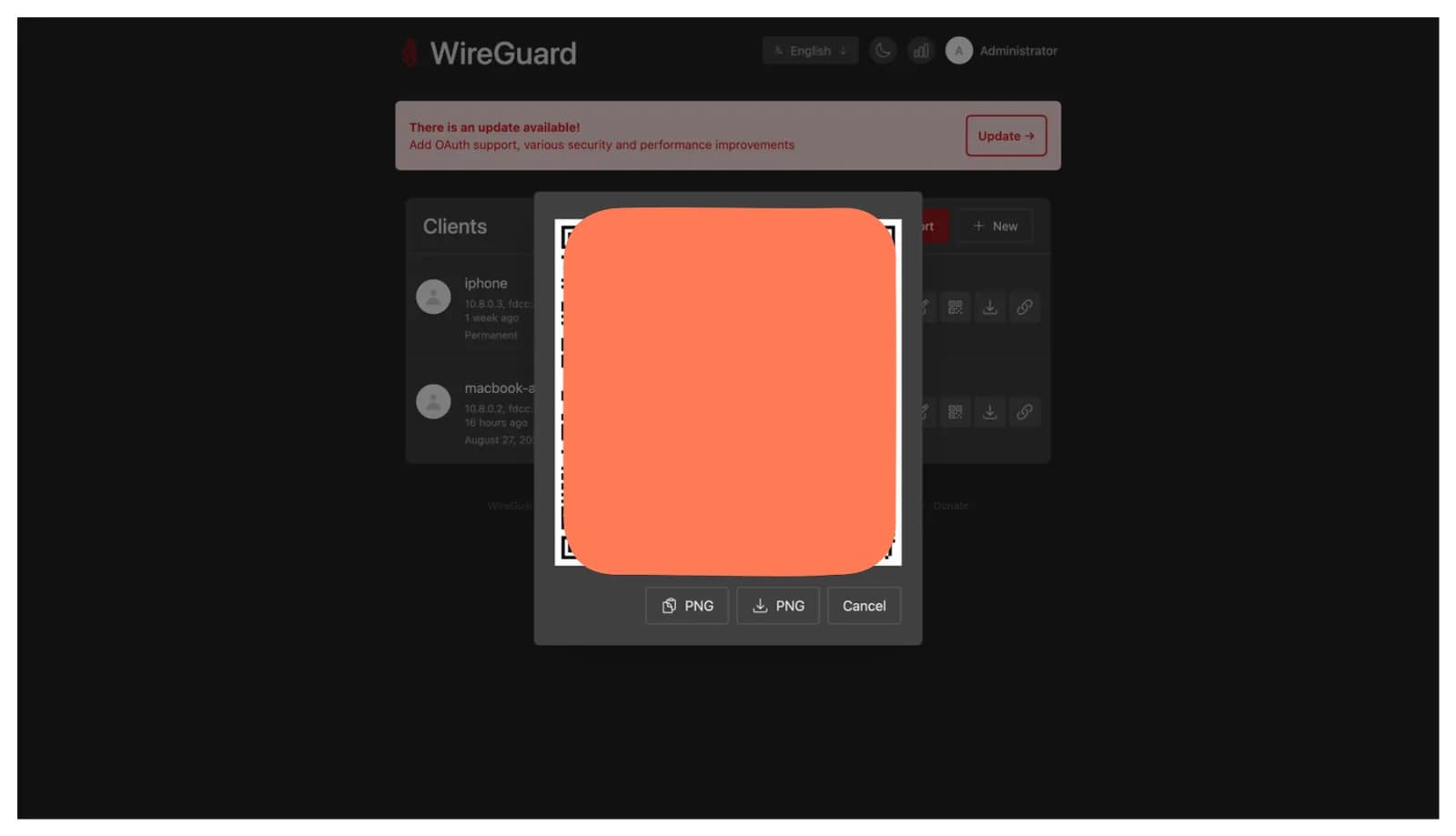
The client overview with the QR dialog. The code is deliberately covered here: it contains the client's private key in plain text — anyone who photographs it is inside the tunnel.
Verify, and do it properly:
curl ifconfig.me
It has to show the server IP. If it still shows your own, the tunnel isn't active or isn't set to full tunnel. If it shows nothing at all — then the interesting chapter starts here.
8. The Bug: Handshake Green, Internet Dead
The symptom was maximally confusing. The client connected, sudo wg show reported a recent handshake, the configuration was set to full tunnel. And still not a single website loaded.
The telltale hint was in the traffic counter: lots sent, almost nothing received. So the packets were going out — they just never came back.
The diagnosis
docker exec vpn_wg_easy iptables -t nat -L POSTROUTING -n -v
The MASQUERADE rule for the client subnet 10.8.0.0/24 was there — wg-easy creates it itself. But it sat at zero matched packets, even though traffic had long been flowing. A rule that exists and never fires.
The reason was in the next column: the rule was bound to -o eth0.
docker exec vpn_wg_easy ip route
The actual default route ran over eth1.
The cause
Internally, wg-easy assumes its WireGuard network shows up as eth0 carrying the default route, and builds the NAT rule on that. The assumption holds as long as the container is attached to exactly one Docker network.
Mine is attached to two — its own WireGuard network and traefik-net for the web interface. And Docker does not assign interface names deterministically when there are multiple networks. In my case traefik-net landed on eth0 and the WireGuard network on eth1. The NAT rule was therefore pointing at the wrong interface.
The consequence: client traffic left the container with its private 10.8.0.x source address instead of the server IP. On the public internet that address isn't routable — the packets arrived, but no reply ever found its way back. Exactly the picture the traffic counter had shown.
A note for honesty's sake: I diagnosed this myself, but I didn't find the explanation myself. It's spelled out verbatim in the official FAQ under "Clients lose connectivity after restarting the container when using multiple networks". A look there would have been faster than two hours of reading iptables output.
The fix
Set interface names and route priority explicitly per network instead of leaving it to Docker:
    networks:
      wg:
        interface_name: eth0
        gw_priority: 1
      traefik-net:
        interface_name: eth1
        gw_priority: 0
That pins the WireGuard network to eth0 and keeps the default route there — regardless of the order in which Docker touches the networks on the next restart.
⚠️ Prerequisite: Docker Engine 28 or newer. interface_name and gw_priority are newer fields in the Compose specification. On an older host they're silently ignored — and then the bug is back with no error message pointing at it. Check docker --version before deploying.
The transferable lesson
The bug is caused neither by wg-easy nor by Docker alone, but by the combination of an implicit assumption inside the container ("my network is called eth0") and non-deterministic behaviour from the platform. Each side is fine on its own.
And it's particularly nasty because it can only appear on a restart. The assignment may happen to be correct on first start and flip weeks later on a redeploy. Without the fix you have a time bomb with an unclear fuse.
9. What's Still Open
No backup of ./config. That's where the server private key and all client configurations live. If it's lost, every device has to be set up again. Not data loss in the real sense — photos and mail aren't affected — but avoidable work. Adding the directory to an existing backup run is one line.
No DNS filter in the tunnel. The obvious next step: put a DNS resolver with ad and tracker filtering behind the VPN. Then the tunnel filters not just the source address but also what the device is able to resolve at all — on every device, on mobile data, without an app. One thing matters here: the resolver must be reachable exclusively over the VPN interface. An open DNS resolver on the internet gets abused for attacks within hours.
10. Conclusion
The least demanding service in my setup. One Compose file, one wizard, done. No comparison to the mail server.
What decides the design is the protocol question. WireGuard needs no reverse proxy because it brings its own encryption — and understanding that saves you the attempt to force UDP through an HTTP proxy. Conversely, the web interface very much belongs there. One service, two paths.
And the one thing I'd do differently: check the project's FAQ first, then read iptables. The bug I chased for two hours was described there word for word.
Further Reading
- One VPS, Seven Services, One Repo — why every other service runs through Traefik and this one doesn't.
- Setting Up Stalwart Mail Server — the service the proxy edge was built for.